Quita el Fondo de tu Foto de Perfil de Discord
Recórtate a ti o a tu personaje con limpieza para un avatar de Discord nítido — gratis, ilimitado y todo en tu navegador.
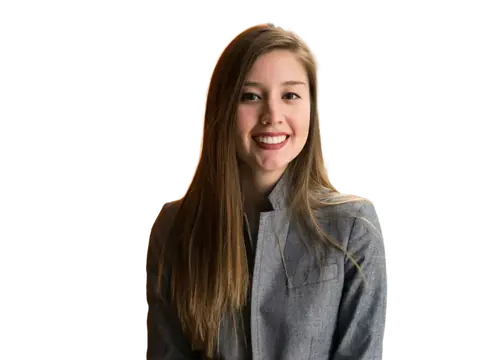
Una foto de perfil limpia hace que destaques en Discord. Sube una foto, un selfie o una ilustración y la IA aísla al sujeto, para que lo dejes transparente o pongas cualquier color sólido o degradado antes de recortarlo en círculo.
Todo ocurre en tu dispositivo, así que puedes probar todos los estilos que quieras — sin subidas, sin límites y sin marca de agua.
Por qué usarlo
Avatares nítidos
Recortes limpios que se leen bien incluso en el tamaño pequeño de los avatares de Discord.
Cualquier color o degradado
Pon tu recorte sobre un color sólido, un degradado o un fondo desenfocado, y recórtalo en círculo.
Privado por diseño
Tu foto nunca sale de tu navegador — no se sube nada a un servidor.
Cómo funciona
Tres pasos, en tu propio navegador. Sin cuenta y sin subidas.
-
1. Añade tu imagen
Arrastra y suelta, busca o pega — también funciona por lotes.
-
2. La IA quita el fondo
Funciona en tu dispositivo en segundos — no se sube nada.
-
3. Descarga
PNG transparente, o elige un color de fondo. Calidad completa.
Avatars for Discord
Circular crop, tiny display
Discord crops every avatar to a circle and shows it at 32 to 40 pixels in a message list — smaller than almost any other platform. Upload at 512 × 512 so it stays sharp on the profile card, then judge it at 40.
Because the crop is circular, anything in the corners of your square is discarded. Compose inside the inscribed circle and leave margin, or your character's ears and your own shoulders will be the first casualties.
Designing for both themes
Discord runs in dark mode for most people but not all, and your avatar sits directly on the interface background in both. A cut-out with a transparent background will look completely different depending on which theme the viewer uses.
The reliable answer is to composite onto a solid colour rather than shipping transparency, so the avatar looks identical everywhere. Pick a mid-tone: near-black disappears into dark mode and near-white disappears into light mode, leaving a floating head with no outline.
Animated avatars and file limits
Nitro subscribers can use an animated GIF avatar, and the same rules apply harder — at 40 pixels, an animation with lots of movement reads as flicker. Slow, simple motion in one area works; a full animated scene does not.
Keep the file well under the limit and remember GIF supports only one fully transparent colour, with no partial transparency. A cut-out exported as GIF will have a hard, jagged outline, which is another reason to composite onto a solid background first.
Server identity
Discord lets you set a different avatar per server, which is worth using if you are in both professional and personal spaces. The same cut-out on two different background colours gives you two distinct identities from one photo.
For server icons rather than personal avatars, the same constraints apply with less room: icons show in the server rail at around 48 pixels, so a single bold shape or two letters beats any detailed artwork.
Preguntas frecuentes
What size should a Discord avatar be?
Should a Discord avatar have a transparent background?
Can I use an animated avatar?
Why does my GIF avatar have jagged edges?
¿Listo para probarlo?
Es gratis, ilimitado y completamente privado.
Quita un fondo ahoraMás herramientas gratis y privadas
Exporta aquí y sigue editando allí — tu imagen te acompaña, sin volver a subirla.