Quita el Fondo de tus Fotos de Mascotas
Recorta a tu perro, gato o amigo peludo para pegatinas, impresiones, tazas y memes — gratis, ilimitado y todo en tu navegador.
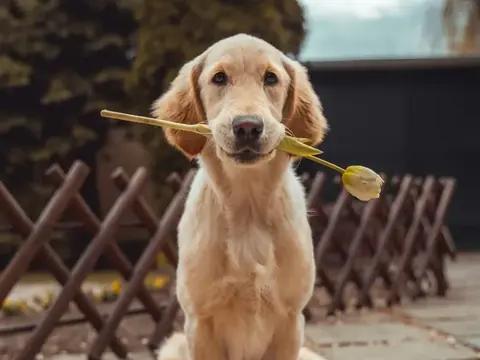
¿Quieres a tu mascota en una taza, una pegatina o una impresión personalizada? Sube una foto y la IA separa a tu perro o tu gato del fondo — con el pelo y los bigotes incluidos — y te da un PNG transparente y limpio.
Todo ocurre en tu dispositivo, así que puedes probar con todas las fotos que quieras — sin subidas, sin límites y sin marca de agua.
Por qué usarlo
Genial con el pelo
Preparada para bordes suaves, pelo y bigotes, para un recorte de aspecto natural.
Refina a mano
Limpia el fondo que sobra o recupera detalles finos con el pincel de bordes integrado.
Lista para imprimir y pegar
PNG transparentes a resolución completa para tazas, pegatinas, impresiones y memes.
Cómo funciona
Tres pasos, en tu propio navegador. Sin cuenta y sin subidas.
-
1. Añade tu imagen
Arrastra y suelta, busca o pega — también funciona por lotes.
-
2. La IA quita el fondo
Funciona en tu dispositivo en segundos — no se sube nada.
-
3. Descarga
PNG transparente, o elige un color de fondo. Calidad completa.
Cutting out pets
Fur is the whole difficulty
A pet is a fur-matting problem in the same way a headshot is a hair-matting problem, only more so. The outline is not a line — it is a band of individual strands, each thinner than a pixel, every one of which is part animal and part background.
Long-haired and fluffy breeds have the widest band and are the hardest. Short-coated animals with a defined silhouette cut out far more easily, which is worth knowing before you judge the tool by your Samoyed.
Contrast beats everything
The most useful thing you can do is photograph the animal against something clearly lighter or darker than its coat. A black cat on a dark sofa is not a hard cut-out, it is an impossible one — the information needed to find the edge is not in the photo.
Brightness contrast matters more than colour contrast, because edges are found in luminance. A ginger cat against a mid-green cushion looks high-contrast to you and may be nearly identical in brightness.
Getting the shot at all
The practical problem with pets is not editing, it is capture:
- Use burst mode and take far more frames than feels sensible — you are selecting, not shooting.
- Get down to the animal's eye level; photographs taken from standing height read as snapshots.
- Have someone else hold their attention just beside the lens, so the eyes point at the camera.
- Use daylight rather than flash. Flash causes eyeshine, which is much harder to fix than red-eye in people.
- Keep the shutter fast — motion blur widens the fur band across the whole moving edge and ruins the cut-out.
Checking the result
Whiskers are the giveaway. They are the finest structure in the image and the first thing an over-aggressive cut-out removes, and a cat missing its whiskers looks wrong even to someone who could not say why.
Preview against a background very different from the original, and use the refine brush to bring back fur detail at the outline rather than accepting a clean, hard edge — on an animal, a slightly soft outline is the correct one.
Preguntas frecuentes
Why is pet fur hard to cut out?
What background should I photograph my pet against?
How do I get a pet to look at the camera?
Why did my cat's whiskers disappear?
¿Listo para probarlo?
Es gratis, ilimitado y completamente privado.
Quita un fondo ahoraMás herramientas gratis y privadas
Exporta aquí y sigue editando allí — tu imagen te acompaña, sin volver a subirla.