Quita el Fondo para Twitch y Streaming
Crea recortes limpios para paneles, overlays y emotes sin croma — gratis, ilimitado y procesado en tu dispositivo.
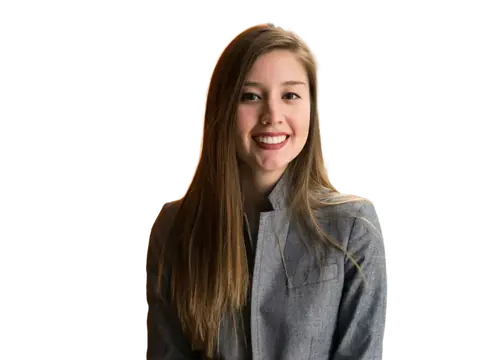
Una buena imagen de canal empieza con recursos limpios. Sube una foto y la IA quita el fondo para darte un PNG transparente para tus paneles de Twitch, overlays de directo, gráficos de horario o emotes — sin croma ni máscaras a mano.
Todo corre en tu navegador a resolución completa, así que puedes montar un set entero de gráficos de marca en privado — sin subidas, sin tarifas por imagen y sin marca de agua.
Por qué usarlo
Sin croma
Consigue un recorte limpio de cualquier foto — sin croma ni montaje de estudio.
Paneles y emotes
PNG transparentes listos para overlays, paneles, horarios y arte de emotes.
Calidad completa
Exportaciones a resolución completa y sin marca de agua para cualquier herramienta de diseño de directos.
Cómo funciona
Tres pasos, en tu propio navegador. Sin cuenta y sin subidas.
-
1. Añade tu imagen
Arrastra y suelta, busca o pega — también funciona por lotes.
-
2. La IA quita el fondo
Funciona en tu dispositivo en segundos — no se sube nada.
-
3. Descarga
PNG transparente, o elige un color de fondo. Calidad completa.
Stream graphics and overlays
Where transparency is doing the work
Streaming is one of the few places transparency is essential rather than convenient. Overlays, alerts, webcam frames, panel graphics and emotes all sit on top of live gameplay, and any of them shipped with a background arrives as a solid rectangle covering the thing viewers came to watch.
In OBS and Streamlabs, a PNG with a real alpha channel composites over your scene cleanly. A JPG cannot — it has no alpha channel at all, so a 'transparent' JPG is always a white or black box.
Chroma key versus cut-out
For live webcam removal, a physical green screen plus OBS's chroma key filter is still the best answer: it runs in real time with no per-frame cost and handles motion well. It needs even lighting on the screen itself, and separation between you and the fabric to avoid green spill on your hair and shoulders.
Cutting out a still image is the right tool for the assets around the stream rather than the stream itself — your panel headshots, offline banner, alert graphics, emotes and thumbnail art. Those are produced once and need to be clean rather than fast.
Sizes Twitch actually uses
Getting these right the first time saves rebuilding a whole overlay set:
- Profile picture: 256 × 256, displayed as a circle at small sizes.
- Profile banner: 1200 × 480, with the centre kept clear of critical content.
- Video player banner (offline screen): 1920 × 1080.
- Panel images: 320 pixels wide, any height, shown below the stream.
- Emotes: 112 × 112, 56 × 56 and 28 × 28 — and the 28-pixel version is the one that matters, since that is chat size.
Emotes are the hardest thing here
An emote has to be legible at 28 pixels, which is smaller than a line of text. That rules out detail, thin lines, subtle shading and anything resembling a scene.
What survives is a single bold shape with a strong outline and high internal contrast. Design at 112 pixels, then check at 28 constantly rather than at the end — most emotes that fail do so because they were only ever judged at full size.
Preguntas frecuentes
Why do stream overlays need transparent PNGs?
Should I use a green screen or cut out images?
What size should Twitch emotes be?
What are the Twitch panel and banner sizes?
¿Listo para probarlo?
Es gratis, ilimitado y completamente privado.
Quita un fondo ahoraMás herramientas gratis y privadas
Exporta aquí y sigue editando allí — tu imagen te acompaña, sin volver a subirla.