
PDF to Word
Get the text of a PDF into an editable .docx — paragraphs, headings and page breaks, ready to rewrite. Runs on your own device, so the contract or report never leaves it.
Drop a PDF
or click to browse — .pdf
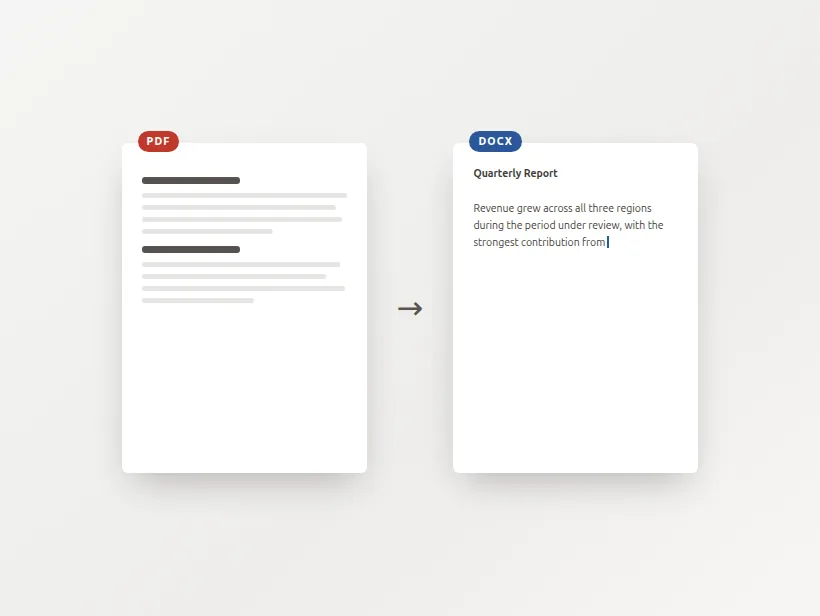
This extracts text, not layout
A PDF doesn't contain paragraphs — only glyphs at coordinates — so structure has to be inferred. You get the prose in order, with headings and page breaks. You don't get the original's columns, tables or exact spacing. The preview below is the real output.
What this does well — and what it doesn't
Reports, letters, contracts, essays — running text comes across cleanly, with hyphenated line breaks rejoined and headings kept as headings.
Multi-column pages, tables and forms lose their arrangement. That's a limit of the format, not of this tool — no converter reads a PDF's structure, because there isn't one.
Every other PDF-to-Word site wants your file on their server. This one reads it in your browser and sends nothing.
Why PDF to Word is harder than Word to PDF
A PDF has no paragraphs to find
The two directions look symmetrical and are not. A .docx is a description of intent: this run of text is a heading, this is a body paragraph, these cells form a table. Turning that into pages is a matter of following instructions that are already in the file.
A PDF is the finished result with the instructions thrown away. What remains is a list of drawing operations: put this glyph at this coordinate in this font at this size. There is no such thing as a paragraph in a PDF, only characters that happen to share a baseline, and there is no table — only text that happens to line up with some drawn rectangles.
So going backwards is not conversion, it is reconstruction. Structure has to be inferred from geometry, and every inference is a guess. This tool groups glyphs into lines by baseline and lines into paragraphs by vertical gap, treats noticeably larger text as a heading, and rejoins words that were hyphenated across a line break. Those rules are honest about what they are, and they are right most of the time on ordinary prose.
Where reconstruction goes wrong
The failure cases all come from the same place: geometry that means something to a human but nothing to a rule about vertical gaps.
- Two columns read as one, because the extractor works down the page and finds the left column then the right, interleaving them by baseline.
- Tables lose their grid, because the cells were never cells — just text positioned near some lines.
- Headers, footers and page numbers arrive as body text, since nothing marks them as furniture.
- Scanned pages yield nothing at all, because there are no glyphs in the file to extract — only a photograph. That case is detected and sent to the OCR tool instead of producing an empty document.
When to use this and when not to
Use it when you want the words: to quote from a report, rewrite a letter, translate a contract, or recover text from a document whose source you have lost. That is the majority of what people actually need from "PDF to Word", and it works well.
Do not use it expecting a visual replica. If the layout is the point — a designed form, a brochure, an invoice template — you are better off keeping the PDF and editing it as a PDF, or rebuilding the layout deliberately in Word around the extracted text. Any tool promising a pixel-perfect PDF-to-Word round trip on a complex page is overselling, whatever it costs.
Preguntas frecuentes
Will the Word file look like my PDF?
Why can't it convert the layout properly?
Is my PDF uploaded?
It says my PDF has no text. Why?
Are hyphenated words at line ends fixed?
Is this free?
Más herramientas gratis y privadas
Exporta aquí y sigue editando allí — tu imagen te acompaña, sin volver a subirla.