Australia Passport Photo
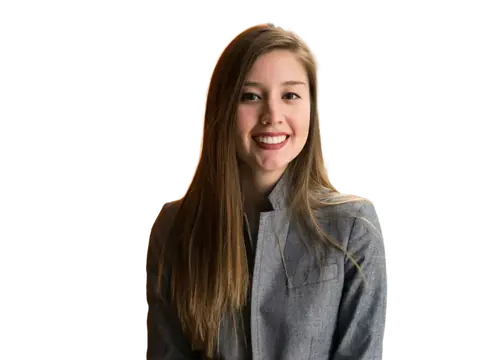
Make a compliant Australia passport or visa photo in seconds — free, private, and processed entirely in your browser. We remove the background, set a plain white or light grey backdrop, and export the exact size.
Australia passport photo requirements
Australian passport photos use a plain white or light grey background.
What's different about a Australia photo
Australia uses the 35 × 45 mm international size on a plain white or light grey background. The Australian Passport Office is noticeably strict about glasses: its guidance asks you to remove them for the photo, without the medical-exception carve-out that some other countries offer.
Two identical prints are required for a paper application, and one of them has to be endorsed on the back by your guarantor — the person who confirms your identity on the form. That endorsement is part of the application, not an optional extra.
Australia photo rules in detail
- Glasses
- Remove them. The APO asks for photos without glasses and a prescription on its own is not a reason to keep them on; only a medical reason you cannot work around is, and then the lenses must be untinted.
- Copies
- Two identical prints. Your guarantor writes a declaration on the back of one confirming it is a true likeness of you, and signs it.
- Expression
- Neutral, mouth closed, eyes open and looking straight at the lens. No smiling.
- Headwear
- Only for religious or medical reasons, and the covering must not cast a shadow or obscure any part of the face from the bottom of the chin to the top of the forehead.
- Head size
- Chin to crown between 32 mm and 36 mm, centred in the frame with roughly even space on both sides.
Photos must have been taken within the last 6 months. The authority for these rules is the Australian Passport Office (Department of Foreign Affairs and Trade) — check there before you apply, since requirements do change.
Babies and children
Children need their own passport and their own photos from birth. Babies may have their eyes closed and their mouth open, and can be photographed lying on a plain white or light grey sheet. No other person, hand or arm may be visible. A child's photos also need the guarantor endorsement on the back of one print.
How the Australia application works
Australian passport applications are completed online but lodged in person at a participating Australia Post outlet or a passport office, where you hand over the printed photos and have your identity checked.
Australia Post outlets offer a photo service at the counter, and using it removes any argument about compliance — but preparing your own framing first is still useful, particularly for children, where getting a usable shot at a counter under time pressure is the hard part.
Why Australia photos get rejected
- Wearing glasses, which the APO refuses without a medical exemption.
- A missing or incomplete guarantor endorsement on the back of the photo.
- Uneven lighting leaving one side of the face brighter than the other.
- Photos older than six months, or an appearance that no longer matches.
- A background that is patterned, coloured, or shows a visible wall edge.
How to make your Australia photo
-
1. Upload a portrait
A clear, front-facing photo with even lighting. The background is removed automatically.
-
2. Fit the guides
The 35×45 mm frame is pre-selected — line your head up with the crown and chin guides.
-
3. Download or print
Export the exact size at 300 DPI, or a 6×4 inch sheet of copies for any photo kiosk.
Preguntas frecuentes
What size is a Australia passport photo?
What background should a Australia passport photo have?
How big should the head be in a Australia passport photo?
Can I wear glasses in a Australia passport photo?
Why do Australia passport photos get rejected?
Can I print my Australia passport photo at home?
Passport photo sizes for other countries
This is a free helper tool, not an official government service. Requirements can change — always confirm the exact rules for your application before submitting. Your photo is processed entirely in your browser and is never uploaded.
Más herramientas gratis y privadas
Exporta aquí y sigue editando allí — tu imagen te acompaña, sin volver a subirla.