
United States Passport Photo
Make a compliant United States passport or visa photo in seconds — free, private, and processed entirely in your browser. We remove the background, set a plain white backdrop, and export the exact size.
Drop a portrait
or click to browse — a clear, front-facing photo with even lighting works best
Press Ctrl V to paste
Your images never leave your device
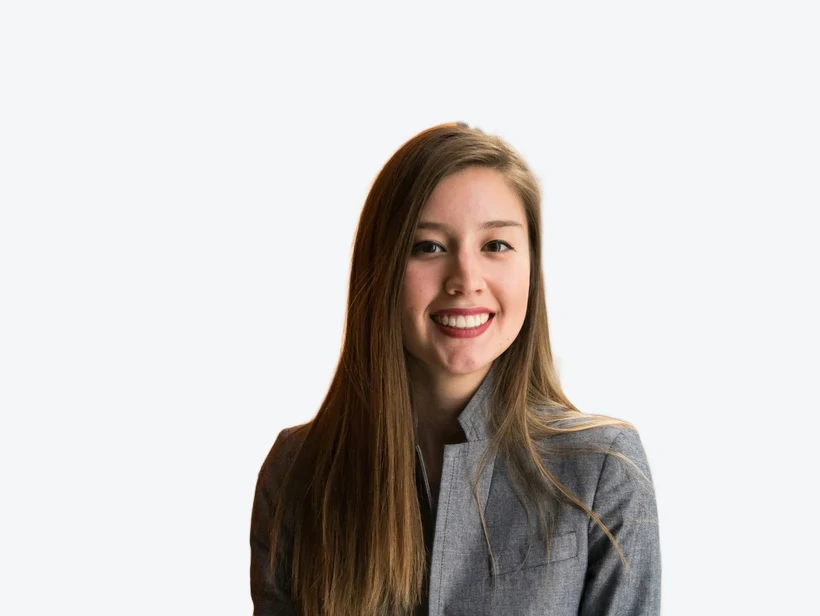
Drag to move · scroll or use the slider to zoom. Keep your eyes level and head between the dashed lines.
United States passport photo requirements
The 2×2 inch size is used for the US passport, visa, Green Card and DV lottery.
What's different about a United States photo
The United States is one of the few countries that has never adopted the 35×45 mm international standard. A US passport photo is square — 2 × 2 inches, or 51 × 51 mm — and the same square photo is used for the passport, most visa applications, the Green Card (Form I-485), and the Diversity Visa lottery. If you have photos left over from a European application, they are the wrong shape and will be rejected.
The head is also sized differently. Rather than the 70–80% frame fill common in Europe, the State Department measures from the bottom of your chin to the top of your head and wants that distance between 1 and 1⅜ inches (25–35 mm), with your eyes sitting 1⅛ to 1⅜ inches above the bottom edge. In practice that leaves noticeably more space around the head than a UK or Schengen photo.
United States photo rules in detail
- Glasses
- Not permitted. Glasses have been banned in US passport photos since 1 November 2016 — the only exception is a documented medical reason, which requires a signed statement from a doctor. Take them off; do not rely on the removal being noticed later.
- Expression
- Neutral, or a natural unforced smile. Both eyes open and visible, mouth closed or barely open. Exaggerated expressions are refused.
- Headwear
- Not permitted except for religious or medical reasons, and then only with a signed statement — and your full face from the bottom of the chin to the top of the forehead must still be visible.
- Clothing
- Everyday clothing. Uniforms, camouflage-pattern clothing and anything resembling a uniform are refused. White tops are risky against the required white background — pick a darker colour.
- Digital uploads
- If you apply or renew online the file must be square, between 600×600 and 1200×1200 pixels, in JPEG, and under 10 MB. A 2×2 inch export at 300 DPI is 600×600, so it meets the minimum exactly.
Photos must have been taken within the last 6 months. The authority for these rules is the U.S. Department of State — Bureau of Consular Affairs — check there before you apply, since requirements do change.
Babies and children
Infants and small children get real latitude. A baby may be photographed lying on a plain white sheet or in a car seat covered with a white blanket, and for newborns the eyes do not have to be open. What is not allowed is anyone else appearing in the frame — no supporting hands, no arms, no chair back. Children over about one year are held to the same standards as adults.
How the United States application works
Most first-time applicants apply in person at a passport acceptance facility (many post offices and libraries) using Form DS-11, and bring one printed 2×2 photo with them. Renewals by mail on Form DS-82 also need one printed photo.
The State Department has been rolling out online renewal, which takes a digital upload instead of a print. The uploaded file is checked automatically for head size, background and sharpness, and a photo that fails is bounced immediately — which is a faster way to find out you have a problem than waiting for a mailed rejection.
Why United States photos get rejected
- Wearing glasses — still the single most common cause of rejection since the 2016 ban.
- Shadows on the face or cast onto the background behind the head.
- A photo taken with a phone at arm's length, which distorts the nose and cheeks.
- Head too large in the frame — European-style framing applied to a US photo.
- Visible filters, beauty smoothing or any digital alteration of your features.
How to make your United States photo
-
1. Upload a portrait
A clear, front-facing photo with even lighting. The background is removed automatically.
-
2. Fit the guides
The 51×51 mm frame is pre-selected — line your head up with the crown and chin guides.
-
3. Download or print
Export the exact size at 300 DPI, or a 6×4 inch sheet of copies for any photo kiosk.
Frequently asked questions
What size is a United States passport photo?
What background should a United States passport photo have?
How big should the head be in a United States passport photo?
Can I wear glasses in a United States passport photo?
Why do United States passport photos get rejected?
Can I print my United States passport photo at home?
Passport photo sizes for other countries
This is a free helper tool, not an official government service. Requirements can change — always confirm the exact rules for your application before submitting. Your photo is processed entirely in your browser and is never uploaded.
More free, private tools
Export here and keep editing there — your image carries over, with no re-upload.